TL/DR: Getting ready for cooler weather in Lake Havasu City? This guide shows you exactly how to mini split switch to heat, ensuring your home stays cozy. We’ll walk you through the simple steps, from locating your remote to setting the right temperature, and offer tips for optimal heating performance.
Understanding Your Mini-Split’s Heating Capabilities
How Mini-Splits Generate Heat
Mini-splits are incredibly versatile, offering both cooling and heating from a single unit. Unlike traditional furnaces that burn fuel, mini-splits use a heat pump system. They extract heat from the outside air, even when it’s cool, and transfer it inside your home.
This process is highly energy-efficient, making them a smart choice for comfort. It’s the same technology that cools your home, just in reverse.
Why Your Mini-Split is Perfect for Lake Havasu Winters
Even though Lake Havasu City is known for its heat, winter nights can get quite chilly. A mini-split provides targeted, efficient heating without needing ductwork. This means you can heat specific zones, saving energy and money.
It’s an excellent, responsive solution for those crisp desert evenings. You get comfort precisely where and when you need it.
Step-by-Step Guide: How to Switch Your Mini-Split to Heat
Locating Your Remote or Control Panel
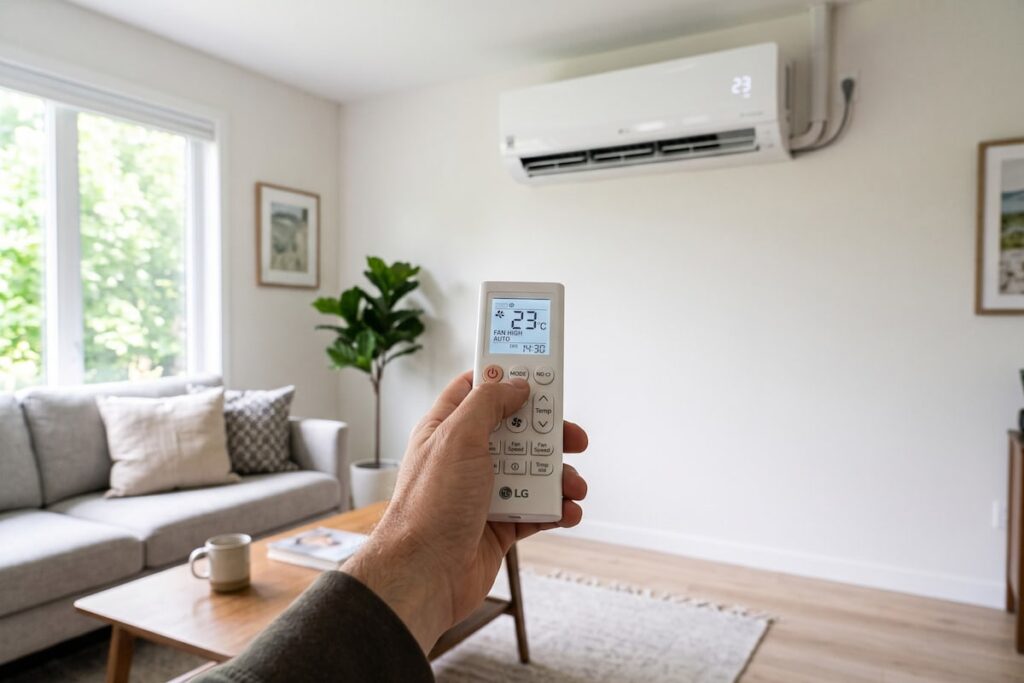
Most mini-splits are controlled via a wireless remote or a wall-mounted panel. Grab your remote; it’s the key to changing settings. Familiarize yourself with the buttons, especially the ‘Mode’ button.
If you can’t find it, check your unit’s manual or look for a control panel directly on the indoor unit.
Selecting the Correct Mode
This is the crucial step for your mini split switch to heat. Press the ‘Mode’ button repeatedly until you see an icon indicating heating. This is usually a sun or a flame symbol. Sometimes it might just say “HEAT” on the display.
Avoid “AUTO” mode if you want consistent heating, as it might switch back to cool.
Setting Your Desired Temperature
Once in heat mode, use the up/down arrows (or +/- buttons) to set your desired temperature. We recommend starting around 70-72°F for comfortable warmth. Give the unit some time to reach the set temperature.
Remember, mini-splits heat gradually and efficiently.
What to Do If It Doesn’t Heat
If your mini-split isn’t heating after a few minutes, don’t worry. Check a few things first:
- Mode: Double-check that it’s set to “HEAT” and not “FAN” or “COOL.”
- Temperature: Ensure the set temperature is higher than the current room temperature.
- Filters: Dirty filters can restrict airflow and heating efficiency.
- Breaker: Check your electrical panel to ensure the breaker hasn’t tripped.
If issues persist, it might be time for a professional check-up.
Pro Tips for Efficient Mini-Split Heating
Regular Maintenance Matters
Consistent maintenance keeps your mini-split running efficiently all year. Clean or replace air filters monthly during heavy use to ensure optimal heat transfer and prevent common issues, such as your mini split smelling when switching to heat mode after sitting idle during summer.
For comprehensive service, The Weatherman AC offers expert mini-split maintenance.
Optimize Airflow
Ensure no furniture, curtains, or other obstructions block the indoor unit’s vents. Clear airflow allows heated air to circulate freely throughout the room. Good airflow is essential for even heat distribution.
Keep outdoor units clear of debris, leaves, and snow for proper function too.
Stay Warm with The Weatherman AC
Mastering your mini-split switch to heat means a comfortable winter in Lake Havasu City. If you ever face challenges or need professional support, The Weatherman AC is here to help. We provide expert mini-split services, from maintenance to replacement.
Considering a new unit or upgrading your system? Our team can guide you. Learn more about professional mini-split installation services from our trusted technicians and contact us. We’re dedicated to keeping your home comfortable, no matter the season.