TL/DR: If your mini split remote control is not working, start by checking batteries and ensuring clear line of sight. Often, a simple fix like fresh batteries or a quick reset is all it takes to get your comfort back.
There’s nothing worse than wanting to adjust your mini split’s temperature, only to find your remote control isn’t responding. It’s a common frustration, especially when you depend on that perfect comfort. Before you panic, take a deep breath; most issues are simple to diagnose and fix.
We understand how important a functioning system is for your home or business in Lake Havasu City. Let’s walk through some troubleshooting steps to get your mini split back under control.
The Remote Control Itself: Simple Fixes First
Sometimes the problem isn’t with your mini split unit at all, but right in your hand. Start by examining the remote control thoroughly.
Check and Replace Batteries
This is the most common culprit. Dead or weak batteries are often overlooked.
- Open the battery compartment on the back of your remote.
- Check the battery orientation – make sure they’re correctly seated (+/-).
- Replace them with a fresh pair of alkaline batteries, even if you think they might still have some life. Avoid mixing old and new batteries.
Clean Battery Terminals
Over time, battery terminals can accumulate dirt, dust, or even corrosion, which can disrupt the electrical connection.
- Remove the batteries entirely.
- Inspect the metal contacts for any residue or green/white buildup.
- Gently clean the terminals using a cotton swab dipped in rubbing alcohol, or a pencil eraser. Ensure they are dry before reinserting batteries.
Reset the Remote
Just like your phone or computer, a remote can sometimes get stuck or experience a minor software glitch. A reset can often resolve these.
- Look for a small, recessed reset button. It might be a tiny hole requiring a paperclip or pen tip to press.
- Press and hold this button for 5-10 seconds.
- If your remote doesn’t have a reset button, removing the batteries for 30 seconds and then reinserting them can achieve a similar effect.
Ensure Line of Sight
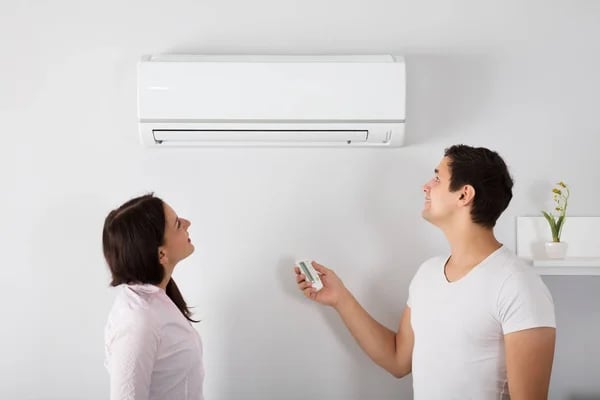
Mini split remotes typically use infrared (IR) signals, which require a clear path to the indoor unit’s receiver.
- Make sure there are no obstructions between your remote and the mini split head. Furniture, curtains, or even people can block the signal.
- Try pointing the remote directly at the unit from a closer distance.
- Check for strong sunlight or other bright lights shining directly on the unit’s receiver, as this can sometimes interfere.
In Lake Havasu, severe afternoon glare hitting the plastic fascia of your indoor head unit can actually ‘blind’ the infrared receiver eye. If your remote only works in the morning or after sunset, intense sunlight or glare is likely washing out the signal.
Check for Lock Mode
Some mini split remotes have a lock function to prevent accidental changes. This can make it seem like the remote isn’t working.
- Consult your mini split user manual to see if your remote has a lock feature.
- Look for a small lock icon on the remote’s display.
- Follow the manual’s instructions to unlock the remote, usually by pressing a specific button combination.
Addressing the Mini Split Unit
If your remote seems fine, the issue might lie with the mini split unit itself or its receiver.
Power Cycle the Unit
A simple power cycle can often resolve minor electrical glitches within the mini split system.
- Go to your home’s electrical panel.
- Locate the circuit breaker for your mini split unit (it might be labeled “AC” or “Mini Split”).
- Flip the breaker to the “OFF” position and wait for 5-10 minutes. This allows the system to fully discharge.
- Flip the breaker back to the “ON” position. Test your remote after the unit fully powers up.
Check for Manual Override Button
Most mini split indoor units have a manual control button, usually discreetly located near the display panel or under a small flap.
- Press this button once. The unit should turn on or change modes.
- If the unit responds to the manual button, it indicates the mini split itself is receiving power and functional, narrowing the problem down to the remote or its receiver.
Advanced Troubleshooting and When to Call The Weatherman AC
If you’ve tried all the above steps and your mini split remote control still doesn’t work, it might be time for expert help.
Test the Remote’s IR Signal
You can often check if your remote is sending a signal using your smartphone camera.
- Point the remote at your phone’s front-facing camera.
- Press a button on the remote. If you see a light flashing on your phone screen, the remote is likely sending a signal. If not, the remote itself might be faulty. (Note: Not all phone cameras can detect IR light, but many can).
Don’t Sweat It – Call the Pros!
When you’ve exhausted your troubleshooting options, or if the unit responds manually but not remotely, there could be a deeper issue. This might include a faulty remote, a damaged receiver in the mini split unit, or other electrical problems.
Don’t let a temperamental mini split disrupt your comfort in Lake Havasu City. If you need reliable assistance with your system, from repairs to expert assistance, The Weatherman AC’s mini split services is here to help. We’ll quickly diagnose and fix the problem, ensuring your home or business stays comfortable year-round.